Changelogs
Stay up to date with the latest changes and enhancements.
Stay up to date with the latest changes and enhancements.
15. Apr 2025
Share
Hey karaoke enthusiasts and lyric video creators!
We've been burning the midnight oil (and maybe singing a little too loudly in our offices) to bring you a spectacular update to MyKaraoke Video. Our development team has been fueled by coffee, passion, and possibly the occasional off-key rendition of "Total Eclipse of the Heart" to deliver these game-changing features.

Are you the type who spends hours perfecting every aspect of your video style? We feel you. That's why we've introduced Presets!
Now you can save your current settings (aspect ratio, layout, background, text style, timers, etc.) as a named preset and apply it to any future video with just one click. Create different vibes for different music genres or artists—your creativity is the only limit!
It's like having multiple karaoke personalities ready to go at a moment's notice. Monday you're feeling minimalist with white text on black. Tuesday you're all about that neon pink glow on a starry background. We don't judge—we enable!
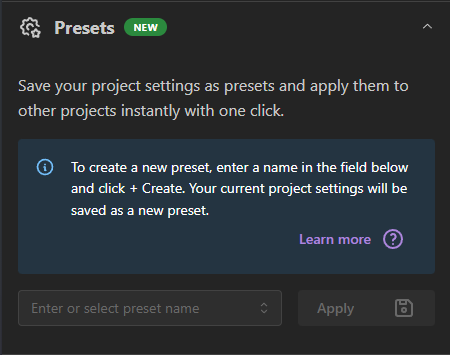
Learn more about Presets in the following Help Center entry.
Project Presets: Quick Guide
Presets let you save and reuse your favorite project settings. Think of them as templates for your video styles.
Presets let you save and reuse your favorite project settings. Think of them as templates for your video styles.

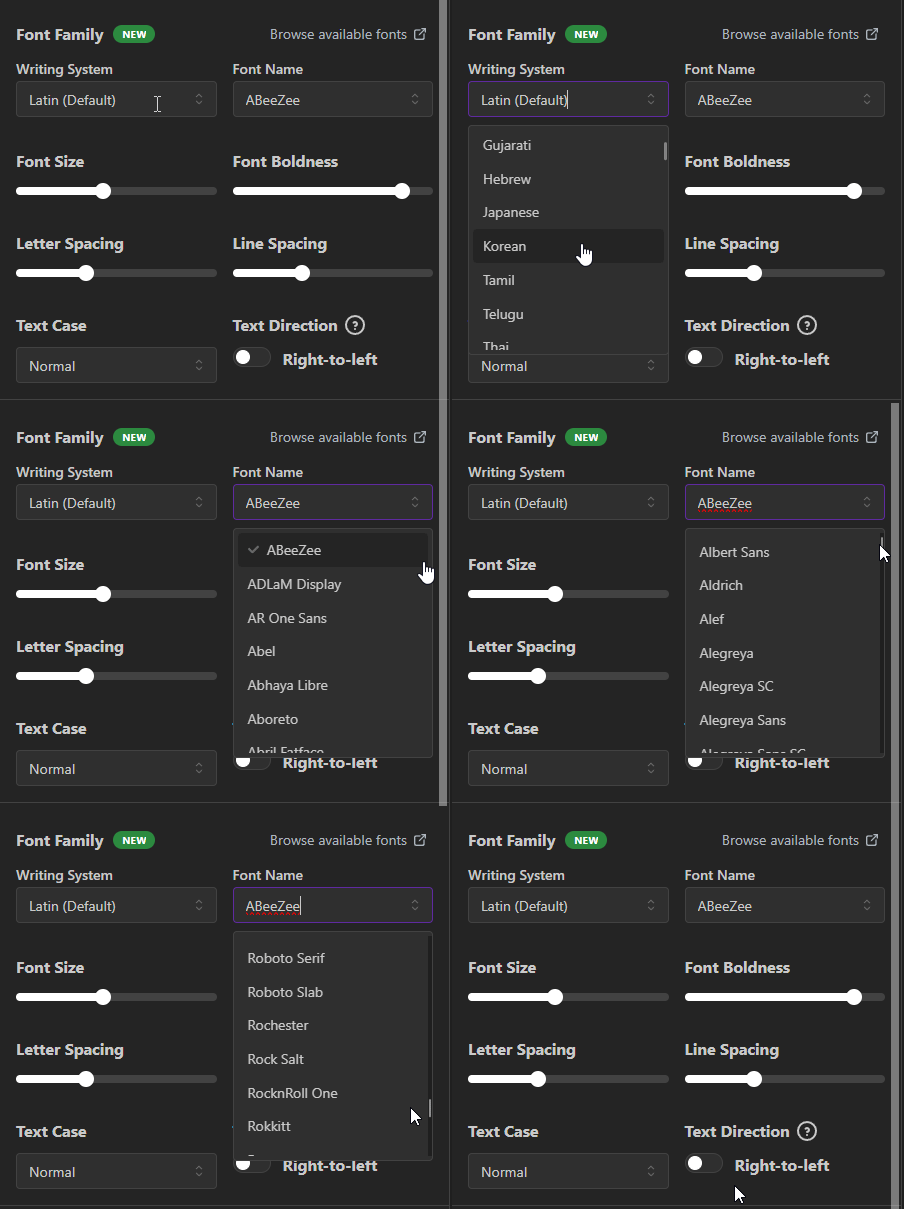
Ever felt limited by our font selection? Well, prepare to be overwhelmed (in the best way possible) because we now support over 1,500 Google Fonts! That's right—whether you want your lyrics in elegant cursive or something that looks like it came straight out of a sci-fi movie, we've got you covered.
And because scrolling through 1,500 fonts might take longer than a Bohemian Rhapsody extended remix, we've neatly categorized them by writing system and added a link to browse them visually from Google Fonts. Finding the perfect font for your Korean K-pop cover or Arabic ballad has never been easier!

Remember those annoying performance issues with our Sync Editor? The ones that made you want to throw your computer out the window while screaming "WHY WON'T YOU SYNC PROPERLY?!" Well, we listened to your passionate feedback (and saved a few computers in the process).
Our Sync Editor has been completely revamped! Manual syncing and fine-tuning those lyrics is now smoother than your favorite vocalist hitting that perfect note. No more lag, no more frustration—just pure, seamless editing satisfaction.
We have added a few help center articles and video tutorials to learn how to use it.
Master The Sync Editor
Your comprehensive guide to perfecting lyric timing, fixing synchronization issues, and creating professional-quality karaoke tracks with precise control over every word and line.
Troubleshooting AI Sync: Solving Common Issues With Lyrics Synchronization
Discover how to fix the most common AI synchronization problems with your karaoke lyrics. This guide provides step-by-step solutions for misaligned words, timing issues, and missing lyrics using the Sync Editor tool.

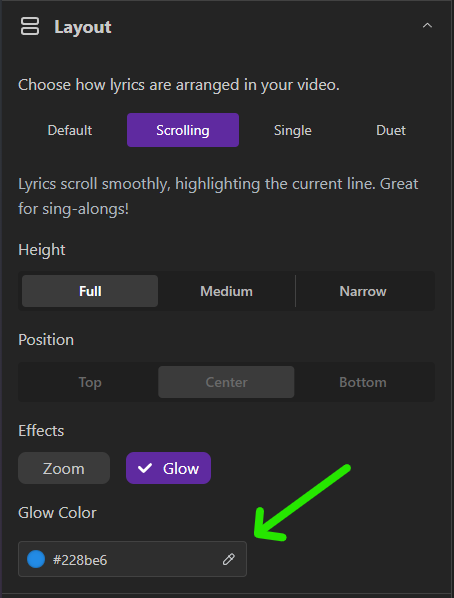
For all of you who love that extra pizzazz in your videos, we've added the ability to choose a Glow color for the Scrolling layout. Because sometimes, basic just doesn't cut it when you're belting out "Let It Go" for the 157th time.

We've all been there—trying to create a duet video and ending up with duplicate lines when both singers are singing the same thing. Our new Duet layout option lets you combine lines sung by both performers into one. Plus, you can specify a third text style just for these combined lines, giving your duets that professional edge!
No more visual confusion when Kelly and Justin are singing the same line—now your viewers can focus on singing along instead of wondering which artist's part they should be following.
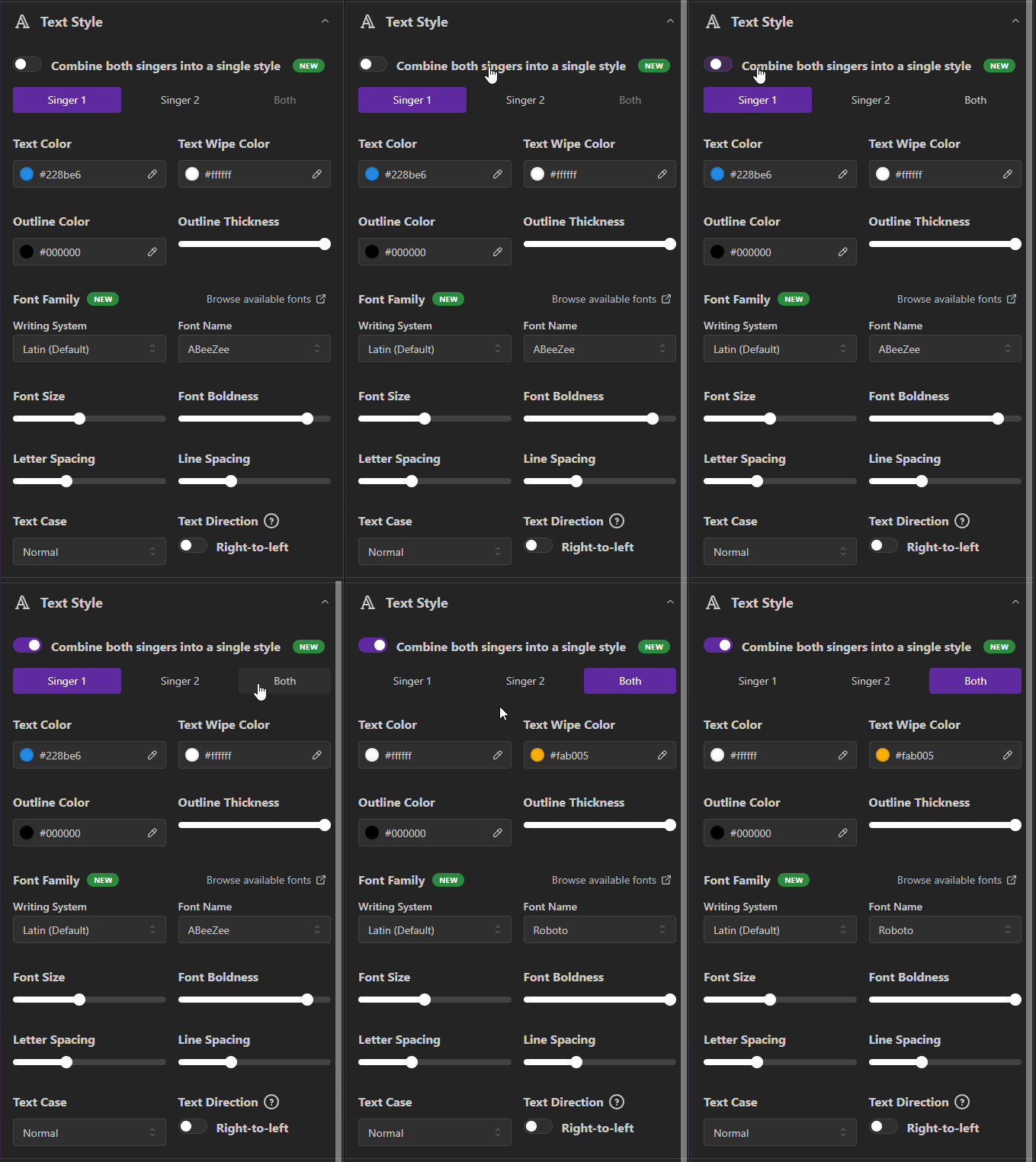


Premium users, we've got some special treats just for you!
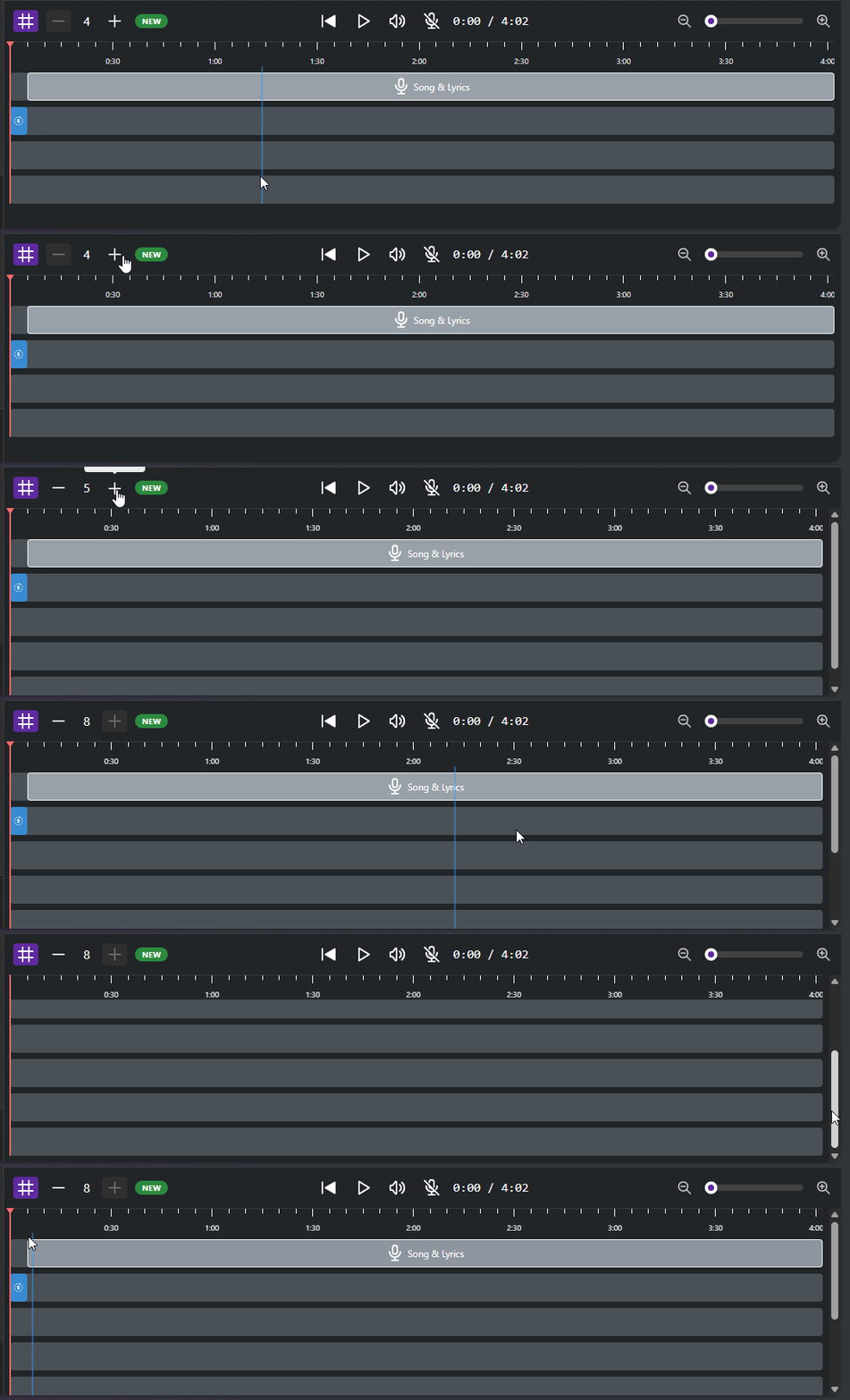
First, we've doubled the maximum layers in the Premium Editor from 4 to 8! That's right—you can now add up to 8 different overlaying elements on your video. Want to add animated backgrounds, logos, additional text effects, and that perfect finishing touch? Now you can layer to your heart's content! Think of it as the difference between a simple sandwich and a gourmet burger with all the fixings.
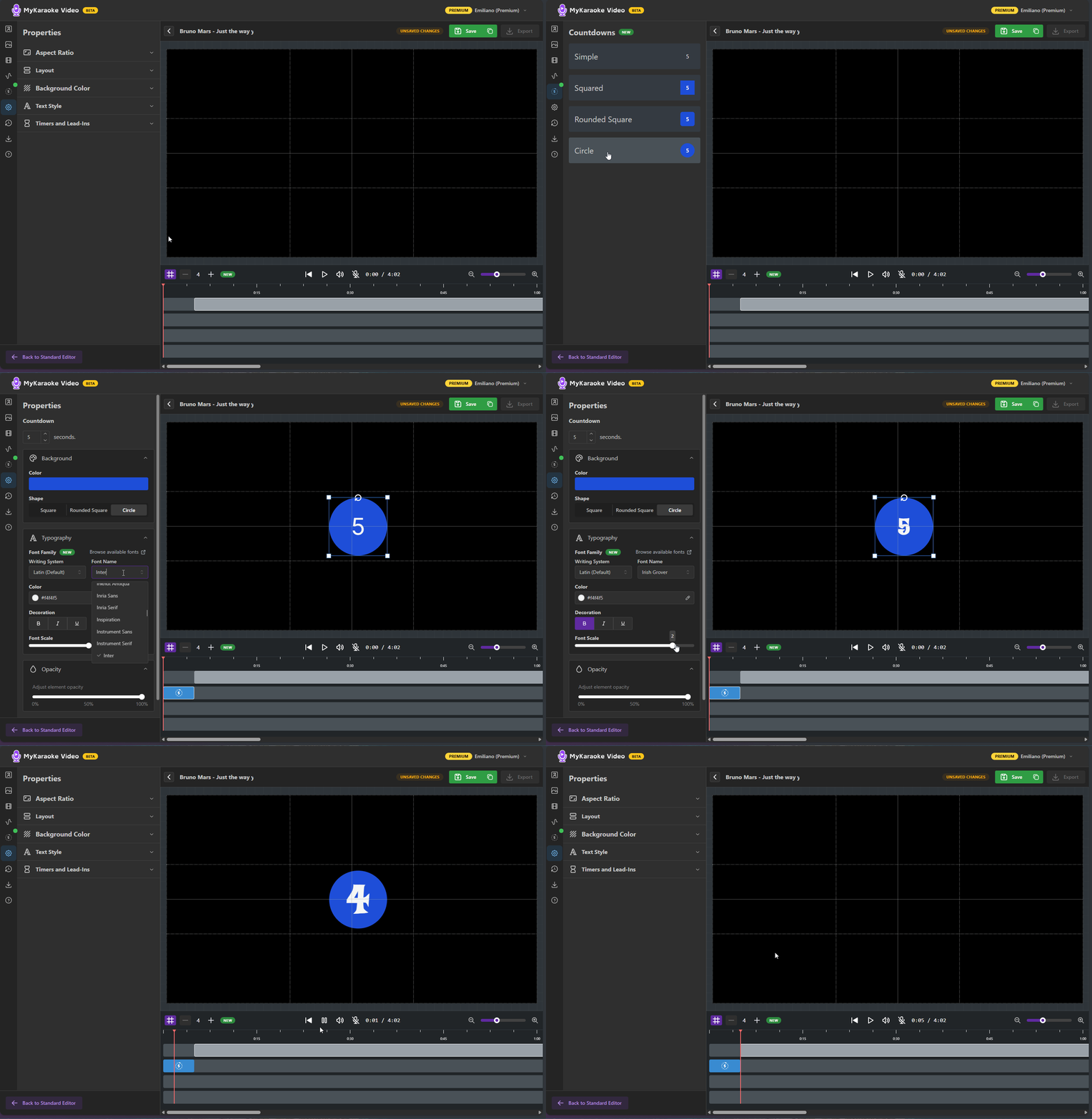
We've also added a customizable countdown element that you can place anywhere on your video. This is perfect for those songs that jump straight into lyrics, giving your audience the heads-up they need to prepare their vocal cords.
"3... 2... 1...  JUST A SMALL TOWN GIRL, LIVING IN A LONELY WORLD " No more caught-off-guard moments or missed first lines!
Our team is always working on new features to make MyKaraoke Video the ultimate tool for creating amazing karaoke and lyric videos. Stay tuned for even more updates coming your way!
Got suggestions for future features? We'd love to hear them! Reach out through our chat bubble.
Now go forth and create some karaoke magic—with 1,500 fonts and glowing text, you're practically obligated to make something spectacular!
Happy creating!
The MyKaraoke Video Team