Registro de cambios
Mantente al día con los últimos cambios y mejoras.
Mantente al día con los últimos cambios y mejoras.

20. Jun 2025
Compartir
Hello, karaoke lovers and lyric video creators! We’re beyond excited to share the latest updates to MyKaraoke.Video with you. Our team has been working tirelessly (and maybe singing a few too many karaoke classics along the way) to bring you these fantastic new features.

Have you ever noticed how some songs break words into syllables, but the entire word gets highlighted even when only part of it is being sung? We’ve solved that problem! With the new Syllable Timing Sync feature, you can now sync lyrics down to the syllable for greater accuracy. Here’s how it works:
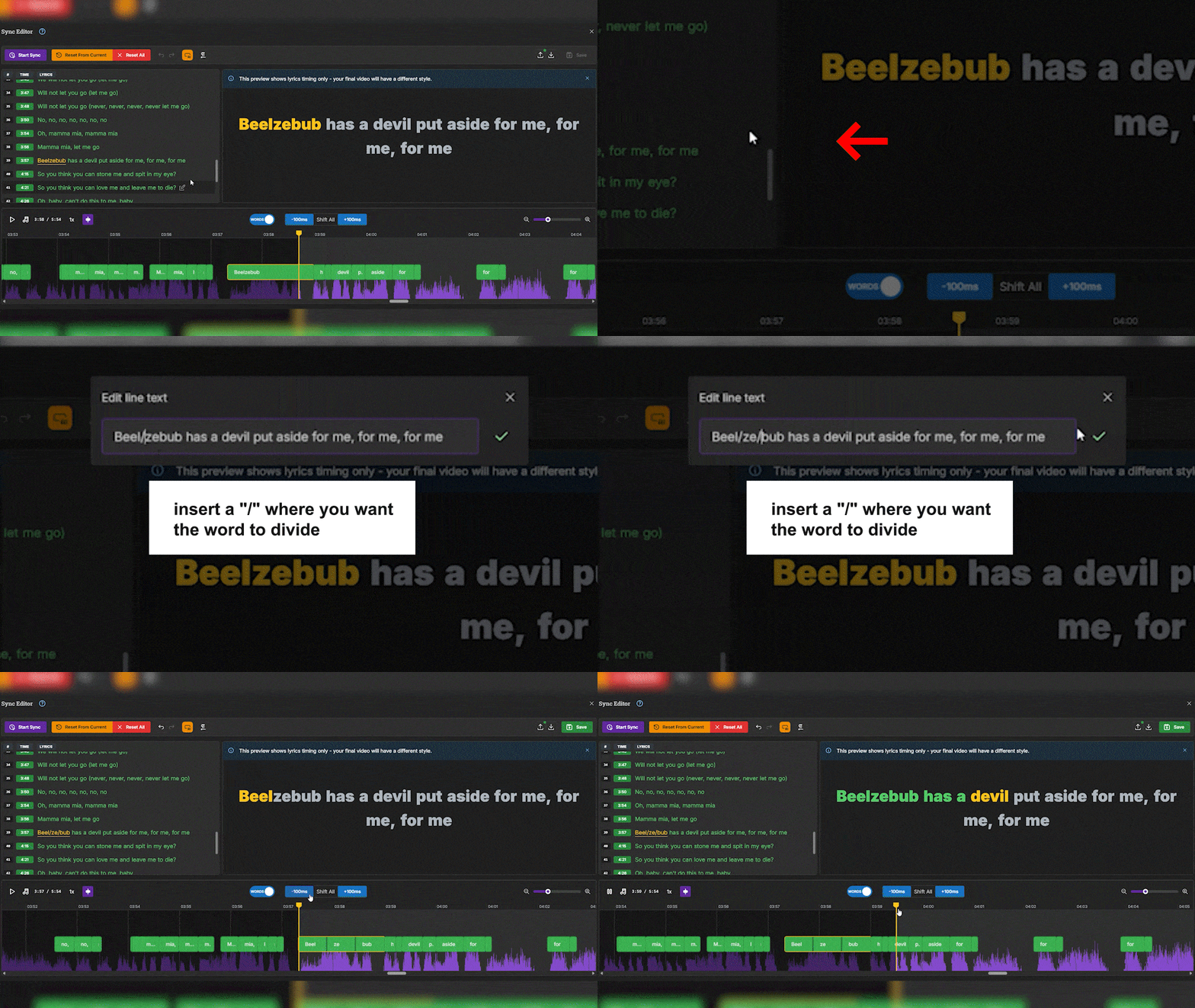
Open the Sync Editor and select the line you want to split into syllables.
Click Edit Line Text, and when the pop-up appears, insert a / where you want the word to divide.
Confirm your changes by clicking the green tick, and your lyrics will now sync perfectly with the music!
You can also double-click any word on the waveform to quickly edit it.

Already have your lyrics timed in a file? Now you can upload them directly into the Sync Editor! To use this feature, click the Import Lyrics button and drop your file into the uploader.
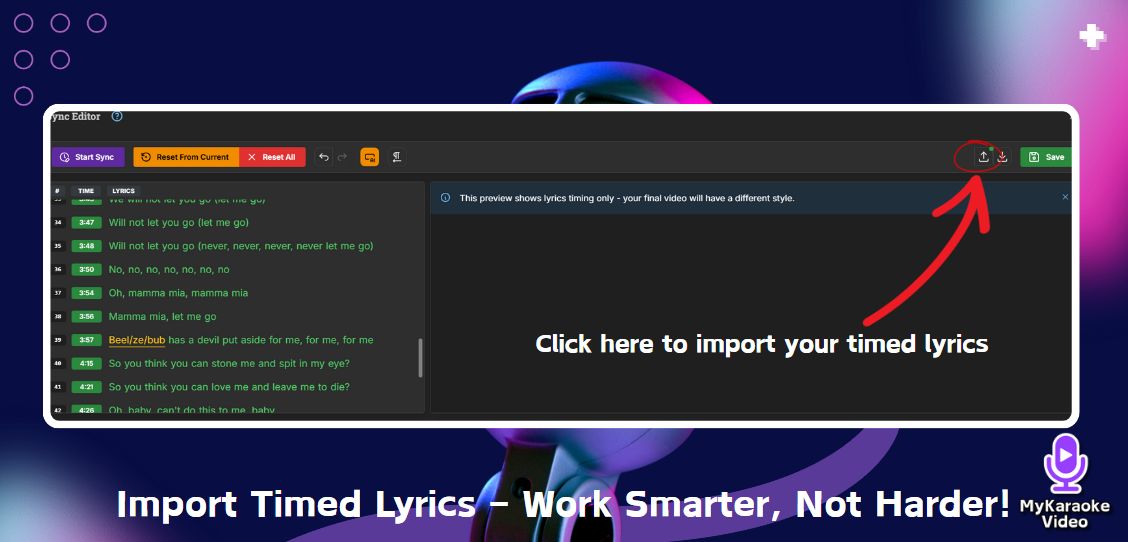
Supported formats include:
.srt (SubRip subtitle format)
.lrc (standard or enhanced with word timings)
.json (exported lyrics from this app)
This is a great option for creators who want to skip manual syncing and jump straight into video creation!

We’re rolling out a new feature in beta mode that lets you adjust the pitch of your instrumental track when creating karaoke songs.
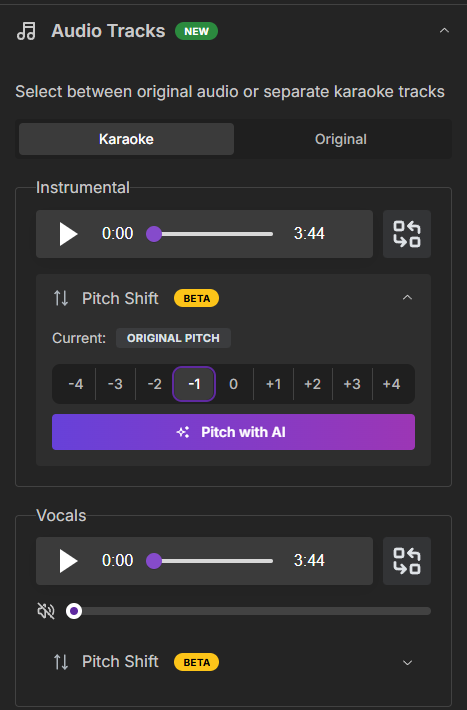
Under the Audio Tracks menu, you’ll find the Pitch Shift section. This tool allows you to change the pitch from -4 to +4 semitones, making it easier to match your vocal range or experiment with different keys.


Need to create multiple versions of the same song for different platforms? We’ve made it easier than ever!
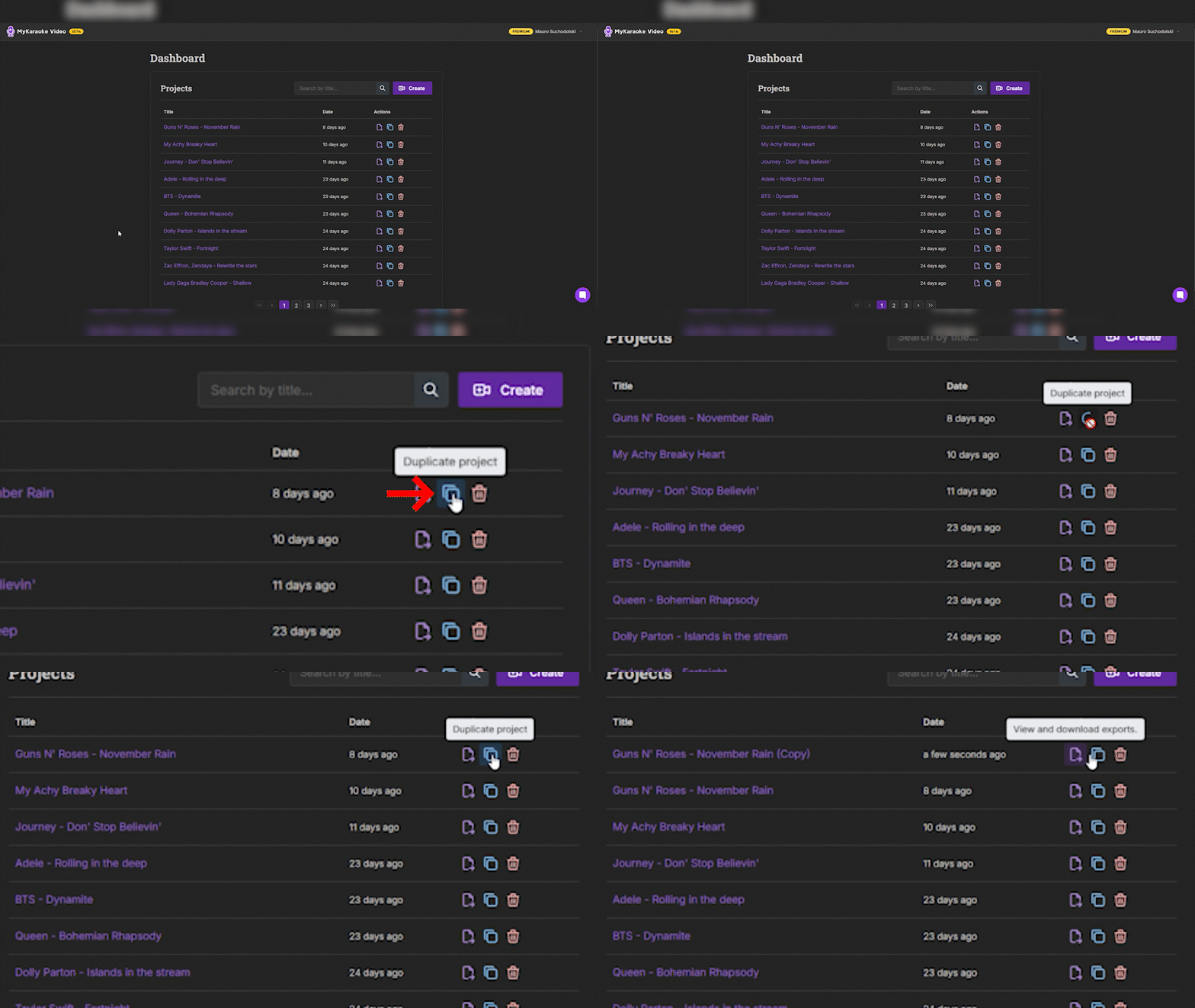
In your Dashboard, you’ll now see a blue Duplicate button. Clicking it will create a new project with the same name, but with "(Copy)" added to the end!
This feature is perfect for creating videos in different aspect ratios—for example, one for YouTube and another for TikTok. No more starting from scratch every time!

We’ve added a new option to make your videos look even more polished.
When using the Scrolling Layout, you can now toggle the Hide lyrics during instrumental breaks option.
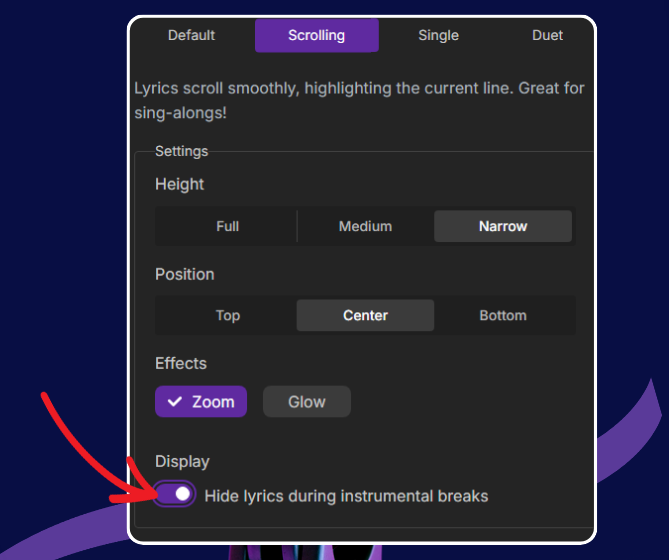
This will hide upcoming lyrics during musical interludes, such as guitar solos or instrumental breaks, ensuring your video stays clean and professional-looking.

We’re always working on new features to make MyKaraoke Video the ultimate tool for karaoke and lyric video creation.
Stay tuned for more updates coming your way!Have ideas for features you’d like to see? We’d love to hear from you!
Reach out through our chat bubble.Now it’s time to create some karaoke magic—with syllable syncing, pitch shifting, and more, your videos are about to reach a whole new level! Happy creating!
The MyKaraoke Video Team