Registro de cambios
Mantente al día con los últimos cambios y mejoras.
Mantente al día con los últimos cambios y mejoras.

21. Nov 2025
Compartir
We’re excited to announce a game-changing new layout that lets you reach a global audience with a single click!
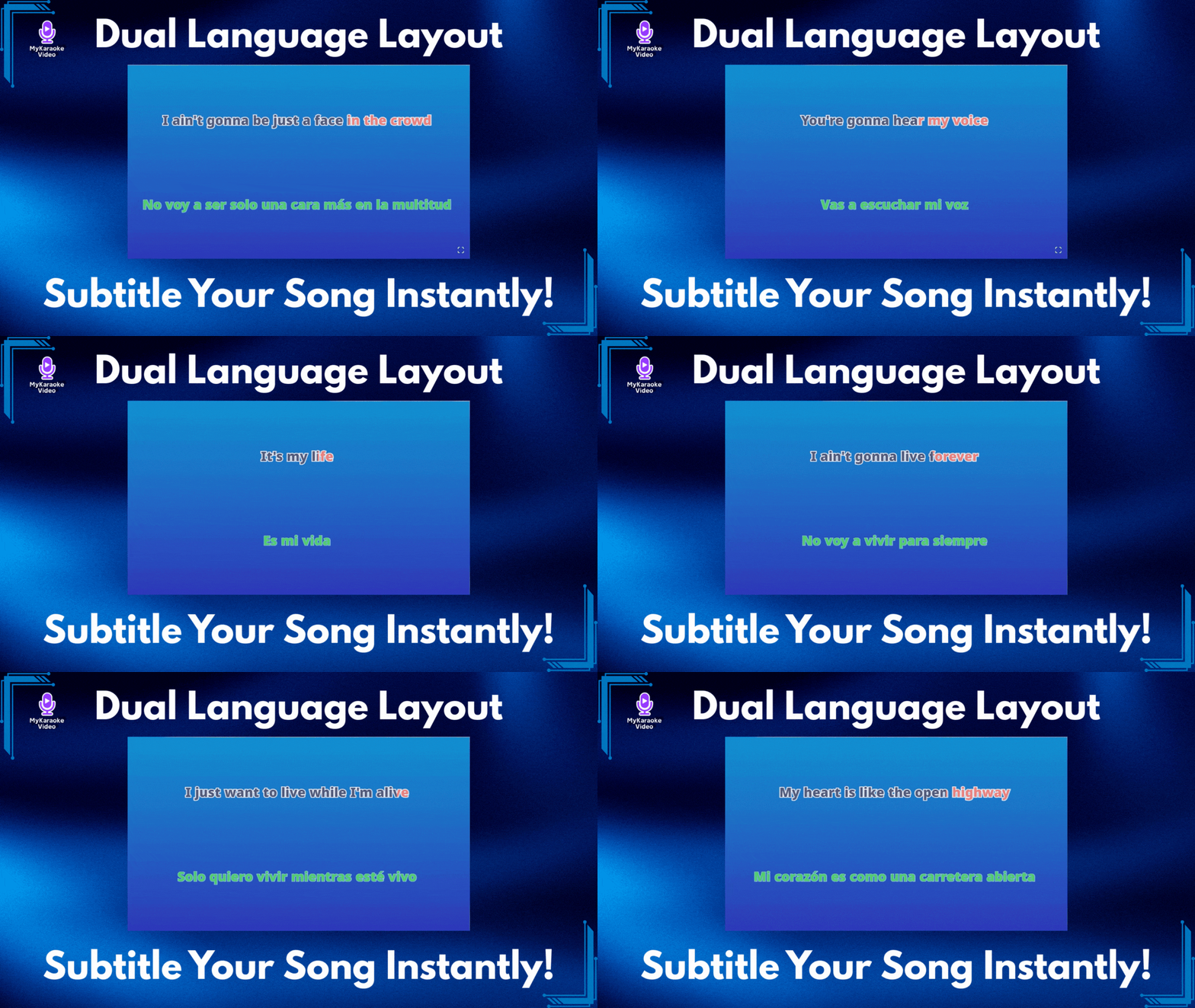
You asked for a way to add subtitles and translations to your videos, and we delivered. Say hello to the Dual Language Layout—the easiest way to display lyrics in two languages simultaneously, perfectly synced and beautifully styled.
The Dual Language Layout isn't just a new look; it's a complete solution for artists and creators. Whether you want to add English subtitles to a Spanish hit, or translate your song into Japanese for a new fanbase, this layout handles it all automatically.
To make this layout truly powerful, we’ve integrated a massive upgrade to our Sync Editor. You don't need to hire a translator or copy-paste text manually:
200+ Languages: Our AI can instantly translate your lyrics into over 200 languages.
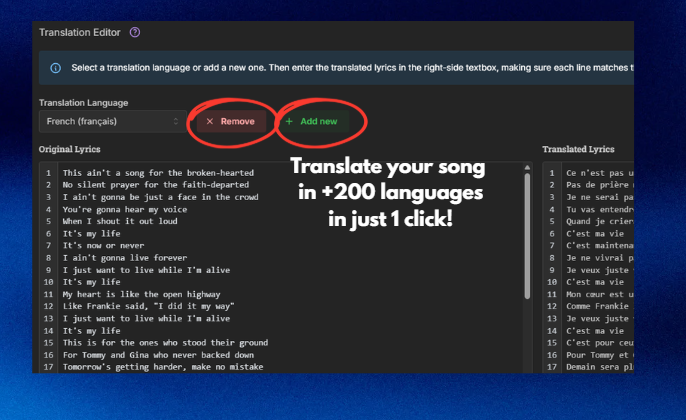
1-Click Simplicity: Just select your target language, click Translate with AI and let the AI do the work.
Automatic Sync: Here is the best part—you never have to sync the translation. The Dual Language Layout intelligently locks the translated text to your original timing. If your original lyrics are synced, your subtitles are too!
We know your brand matters. The Dual Language Layout gives you total control. You can style your Original Lyrics and your Translation independently—change fonts, colors, and sizes to ensure your primary lyrics pop while the subtitles remain easy to read.
Ready to go global?
Open the Sync Editor to generate your translation with AI.
Go to your Layout Settings and select Dual Language.
Customize, export and share!
For a step-by-step guide on using this new feature, visit our help center:
Dual Language Layout Guide: Translate & Sync Your Lyrics
Easily display synchronized lyrics in a second language using the Dual Language Layout and AI Translation.