Registro de cambios
Mantente al día con los últimos cambios y mejoras.
Mantente al día con los últimos cambios y mejoras.

16. Oct 2026
Compartir
We've been working hard to make MyKaraoke Video better for you, and lately we've been shipping a lot: so many new features and improvements that listing them all would make for a very long changelog. So here are the highlights.
The biggest one: transcribing your songs now costs a lot less. On top of that, you get more control over the moments around your lyrics, title cards for your videos, and a couple of handy upgrades to the editor and dashboard.

The 1-click generator now offers two transcription engines, and the cheaper one is the default:
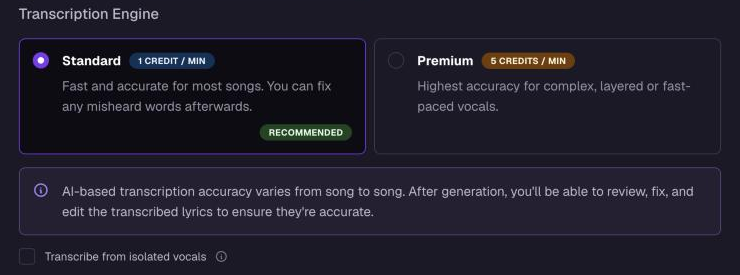
Standard: 1 credit per minute. A great fit for most songs.
Premium: 5 credits per minute. Recommended for complex, layered or fast vocals.
Both engines detect the song's language automatically, so there's no need to pick it first. For songs with busy backing tracks, switch on Transcribe from isolated vocals.
Open Cues & Timers in the video editor to shape the moments around your lyrics.
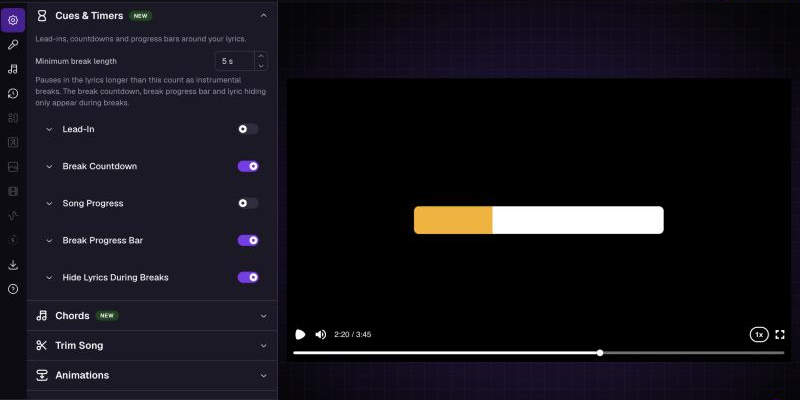
Lead-ins in Classic or the new Fade Tail style, on every line or only after gaps.
Break countdowns, a song progress bar and the break progress bar, each with its own timing, position, size and colors. Some colors can follow the next singer.
Hide Lyrics During Breaks fades lyrics out during longer breaks and back in before the next line.
Cue settings are saved per video version, and your existing projects keep the settings they had.
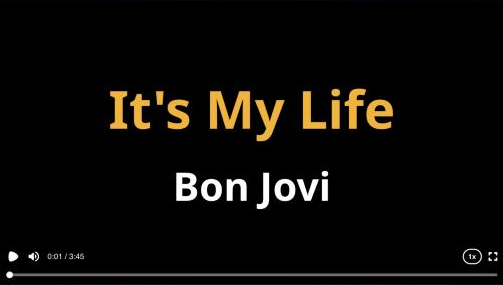
Open your video with a title card showing the song title and artists, styled however you like. Add and order artists in Edit Project, and pasting a title like "Artist - Song" fills in both fields for you. If your lyrics start early, the card is shortened (to a two-second minimum) and a note tells you why.
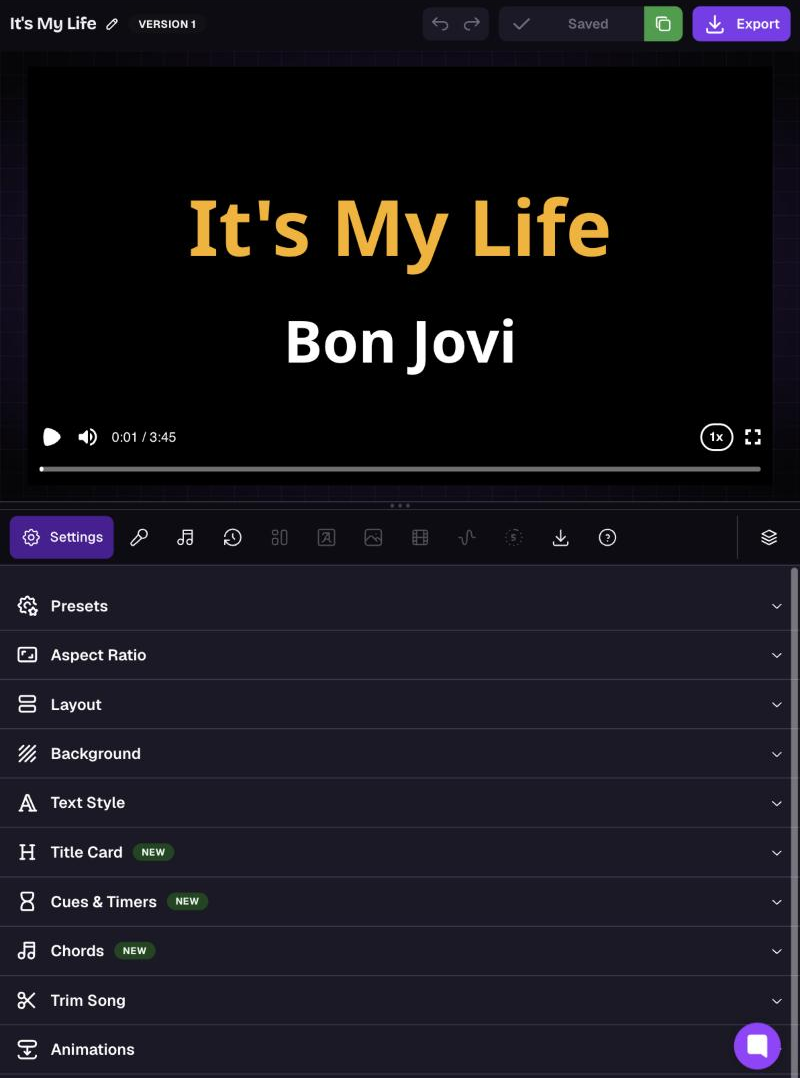
On tablets and narrow windows, the editor now stacks the player above the settings, so you can tweak and watch at the same time. The player and timeline can be resized, and the tabs scroll sideways.
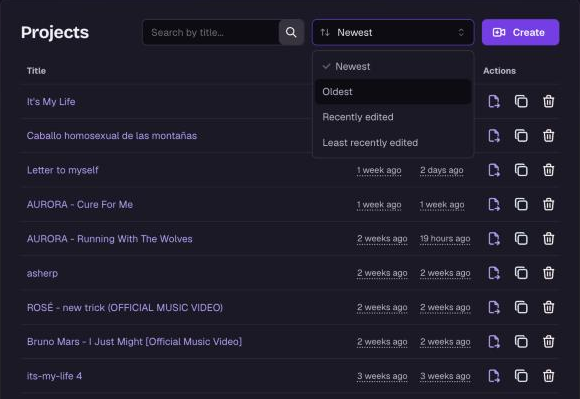
Sort the dashboard by Newest, Oldest, Recently edited or Least recently edited. The list now shows both the created and edited dates. While you search, results are sorted by relevance.
As always, if there's something you'd like to see, tell us on our feedback portal.
Thanks for singing along! 